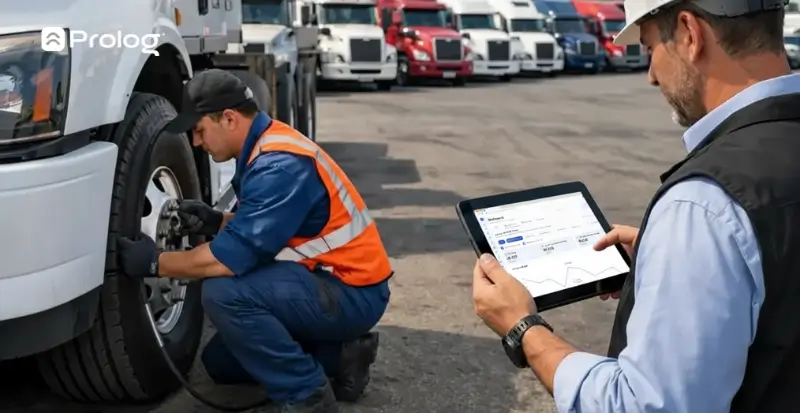
What is the best tool to manage fleet tires?
 Jean Zart 8 min read

If your fleet tire management still depends on a spreadsheet, you may be facing several problems: just one person operating it or several people editing and breaking code, typing errors, lack of scalability, forgotten entries and so on.
So, what is the best tool to manage tires? It may seem simple, but this decision directly affects operating costs, asset traceability and the ability to make decisions based on real data. And the answer changes completely depending on fleet size, operational maturity and what you really expect from a tire control system.
For large fleets (more than 50 motor vehicles), the right tool is not the prettiest or most expensive. It is the one that works in the yard, collects data at the source without disrupting the tire technician’s routine and delivers, at the other end, the indicators the manager needs to decide without spending hours compiling reports.
If you are evaluating how to choose a tire control system for your fleet, see the criteria that really matter below:
- The difference between manual control, spreadsheets and specialized software
- The essential criteria for a tire management tool at scale
- The importance of integration with hardware (such as the electronic tire tread probe)
- The essential features for in-house tire shop management
- A practical checklist for choosing the best tool to manage your fleet tires
What is the difference between manual control, spreadsheets and specialized software?
Before discussing the best tool to manage tires, it is worth understanding why different control levels exist and where each starts to fail:
Manual control (notebook, forms, notes)
This is the starting point for many operations. The tire technician (or another person responsible for tire inspections) writes relocations in a notebook, the supervisor consolidates them at the end of the day (or week, or whenever they remember) and the manager tries to extract some information from it.
In very small fleets, it can work. The problem is that this model does not generate reliable history, makes calculating indicators difficult, depends entirely on whoever records data and loses information at every shift or employee change. Even for medium-sized fleets, above 20 vehicles, it already starts to fall short.
Spreadsheets (Excel, Google Sheets)
Most fleets moving away from paper turn to spreadsheets. And, at first, it seems like a leap in maturity. You create tabs for inventory, relocations, tire history, perhaps even a CPK formula.
But spreadsheets have structural limits that become critical from 50 vehicles and a few hundred active tires onward.
Data depends on manual typing, meaning input errors contaminate the entire analysis. There is no integration with yard operations: the tire technician performs the service and someone needs to enter it later.
History is easily corrupted by a deleted row, a broken formula or an overwritten file. Calculating actual CPK with a spreadsheet requires consolidation effort, and the result is not always reliable. And when the company needs to audit, the spreadsheet offers no traceability of who recorded what and when.
A spreadsheet can be considered more of a record-keeping tool, far from a real tire management tool. And even then, at volume, it is difficult to use and keep up to date.
Specialized tire management software
A system dedicated to tire management operates on a different logic. It is not a data repository: it is a platform that collects, organizes, processes and delivers information ready for decision-making.
The software records each relocation in a structured way (entry, exit, mounting, removal, rotation, sending for refurbishment, disposal), maintains each tire’s complete history linked to its fire number (the serial number branded on the tire), calculates indicators automatically and generates alerts when something is abnormal.
The manager does not need to compile reports: they open the system and the information is there.
The fundamental difference is that, with notebooks and spreadsheets, you spend energy entering data. With specialized software, you focus all your energy on analyzing results and identifying opportunities to improve the operation.
What are the essential criteria for a tire management tool at scale?
Not all tire control software for carriers is the same. And what works for a fleet of 30 vehicles may not meet the needs of one with 100. When scale enters the equation, some criteria stop being desirable and become mandatory:
Complete asset traceability
The system needs to keep track of the tire’s entire life: from purchase to disposal, through every mounting, removal, inspection, repair, rotation and refurbishment. Everything linked to the fire number, vehicle and position.
Automatic indicator calculation
CPK, retreading rate, premature loss rate, cost per event, purchasing forecast, retreadability rate… All these indicators need to be generated automatically by the system, based on data collected in the operation.
If the manager needs to export data and build indicators themselves, the tool is only doing half the job.
Scalability
The system needs to accommodate operational volume without degrading performance. This applies to the number of tires, vehicles, simultaneous users and daily relocations. A tool that freezes or slows down with 500 active tires will not work when the fleet grows.
Integrated inventory management
Having tire inventory control (new, refurbished, end-of-life), separated by status, type, size and location is essential. Ideally, the system should generate minimum inventory alerts and provide historical consumption data for purchase planning.
Audit capability
An audit is a process to understand who recorded each relocation, when and in what context. For large fleets, traceability of actions in the system is essential, both for internal control and formal audits.
Spreadsheets do not offer this, and neither does every software solution.
Why is system integration with tire inspection tools important?
Software is important, but the system alone depends on the quality of the data entered. And this is where hardware integration makes a difference.
Digital tire inspection, for example, eliminates the manual note-taking stage. Instead of the tire technician measuring tread depth with a conventional depth gauge, writing it on paper and someone then typing it into the system, the digital tread probe collects the measurement and sends it directly to the software.
The improvement is threefold: speed (faster collection), accuracy (no transcription errors) and traceability (the system automatically records who measured, when and on which tire).
For fleets exceeding hundreds of tires, this tire control automation in data collection turns inspection from an operational bottleneck into a smooth routine.
The goal of integration, and what makes a tire management tool better, is to minimize the distance between the event (inspection, mounting, measurement) and the record. The more automatic this bridge, the more reliable the data. And reliable data is the raw material for every management decision.
What are the essential system features for in-house tire shop management?
When the tire shop is in-house, the tire management tool for the internal workshop needs to match the actual operational workflow. Features contributing to this are:
Service recording at the point of execution
Has mounting taken place? The record needs to be made there, at that moment, by the tire technician. Not later, not in the office, not by someone else. When recording is separated from execution, you lose accuracy and data and create room for failures.
Relocation control with automatic linking
Each service (mounting, removal, rotation, repair) needs to automatically update tire position and status in the system. If the tire technician mounts a tire on vehicle X, position Y, the system should reflect this without a second manual entry.
Tire life cycle management
The tool needs to support the entire workflow within the tire shop: receipt, checking, storage, inspection, calibration, mounting, repair, sending for refurbishment and disposal. If any of these processes is left out of the system, you end up with a management blind spot.
Checklists integrated with services
Mounting, removal and inspection checklists that block service completion if a mandatory step is not fulfilled. This ensures standardized execution and reduces rework without relying on each operator’s memory or individual discipline.
Practical checklist for choosing the best tool to manage your fleet tires
To bring together everything we have seen so far, these are the criteria you should assess before choosing a tire management system:
- Data collection and recording: does the system allow records at the point of execution (yard/tire shop)? Is the interface suitable for the field operator? Does it integrate with digital tread probes and/or RFID?
- Traceability and control: does it keep track of the entire tire life cycle (purchase to disposal)? Does it record each relocation linked to the vehicle and position? Does it maintain inspection, repair and refurbishment histories by fire number? Does it provide traceability of actions for audits (who did what and when)?
- Indicators and reports: does it calculate CPK automatically, segmented by make, model and supplier? Does it generate a premature loss rate and retreading rate? Does it provide purchasing forecasts based on historical consumption? Does it deliver ready-made reports without exporting and manual processing?
- Inventory and tire shop management: does it control inventory by status (new, refurbished, end-of-life), type and size? Does it support the entire in-house tire shop workflow? Does it include service-integrated checklists? Does it generate minimum inventory alerts?
- Scale and integration: does it support current volume and expected fleet growth? Does it work as tire software integrated with the maintenance ERP and other operational systems? Does technical support meet the operation’s needs?
If the tool you are assessing does not meet most of these criteria, it will probably resolve part of the problem and create other gaps. The best tool to manage your fleet tires is one that works end to end — from collection in the yard to the report on the manager’s desk.
Ultimately, you do not want to enter data; you want to open the system and find the answer, right? The tool needs to deliver immediate visibility into the indicators supporting tire management decisions.
Want to see in practice how a specialized tool works? Schedule a demonstration with the Prolog team and discover the benchmark tire management system in Latin America, present in more than 1,500 operations.
Frequently asked questions
Why do spreadsheets not work for tire management in large fleets?
Which criteria must tire management software meet at scale?
What is the advantage of digital inspection integrated with the system?
What does the system need for an in-house tire shop?
At how many vehicles does manual control stop working?
// newsletter
Fleet management content, straight to your inbox
Articles on tires, maintenance and fleet operations. No spam.